
This is my rundown of the best film budgeting tools out there right now. I’m a line producer, I’ve reviewed all of these, and I’m going to give you my honest score on every one. For those of you who don’t know — before I get into it, I’m going to lay out what film budgeting software actually is, what it does, and where it fits in the budgeting process.
If you already know all that, skip on down to the scores. But I want everybody working off the same baseline so you understand how I’m rating these.
Every film is a number first — Look, before I scout a location or sign a single deal memo, I have to answer the one question everybody funding this actually cares about, which is what does this thing cost.
That number comes from a real budget — And I’m not pulling it out of thin air, I’m building it off a script breakdown, a schedule, real quotes, real rates, real fringes. It’s the difference between knowing my number and guessing it.
The software I build in matters more than people think — Because the tool decides how fast I get to that number, how much it hurts when the schedule moves and I have to redo everything, and whether anyone else can even be in the file with me at the same time.
A budget really only does two jobs for me — First it gets me the money, it’s the thing I put in front of the people writing the check and it proves I actually understood the script. Then once the money lands and I lock it, it becomes the baseline, and every department head is spending against a number that came out of my budget.
Budget on one side, accounting and cost reporting on the other — This is the thing nobody explained to me until I was already drowning in it. These are two separate parts of the process. My budget is where I set the goal, that’s its own stage, I build it and I lock it. Then accounting and cost reporting don’t even start until the movie gets green-lit and I’m heading into prep — that’s when the money actually starts moving, and that’s the whole other side of the process where I’m tracking whether I’m hitting that locked number as I burn through it. And half this software tells me it does “budget tracking” when all they did was slap an actuals column next to my estimate, and that is not the same thing as real cost reporting and accounting.
What a film budgeting software does
These are the base necessities. If a tool calls itself film budgeting software, this is the stuff it has to do, no matter which one you land on:
Builds the top sheet.
The summary page that rolls everything up into Above-the-Line, Below-the-Line Production, Post, and Other, then a grand total with contingency. It’s the page the money people read first.
Holds the chart of accounts.
Accounts and sub-accounts with the standard numbering everyone from your accountant to the studio recognises on sight.
Runs the detail lines.
Amount, units, rate, x-factor, currency — the four-column math on every line that makes the whole thing add up.
Handles globals.
Set a variable once — shoot days, prep weeks, crew size, exchange rate — reference it everywhere, change it once and the whole budget recalculates.
Calculates fringes.
Payroll taxes, union pension and health, workers’ comp, holiday and vacation, handling fees — applied as percentages or caps against the lines they belong to.
Builds groups.
Cross-cutting totals that don’t follow the account structure — total union labour, total local spend, total qualified spend for a credit.
Adds contingency and the completion fee.
The last two lines that make the whole thing bondable.
What a film budgeting software doesn’t do
This is where people get confused, so let me be clear about it. A budgeting tool sets the goal number. It is not the software you run the money through once the show is going. All of the following belong to accounting and cost reporting, not budgeting, and if a tool bolts a thin version of one of these on, that still doesn’t make it the real thing:
Budget-vs-actual cost reporting.
A real cost report carries actual-to-date, committed costs from purchase orders, estimate-to-complete, estimated final cost, and variance against the locked budget. A single “actual” column next to your estimate is not a cost report.
Payroll.
Cutting checks, timecards, start paperwork, and paying the fringes over to the unions — that’s a payroll company, not your budget.
Accounts payable and purchase orders.
Logging invoices, issuing POs, and tracking what you’ve actually committed lives in production accounting.
Petty cash and the general ledger.
The full system of record for where every dollar actually moved is accounting’s job.
So when you see me knock points off a tool for not having a “cost report,” understand I’m being generous even mentioning it — that was never the budgeting software’s job in the first place. What I’m really rewarding is the tools that at least hand off cleanly to the accounting side.
The features I’m scoring on
One-month free trial — can I try it before I pay?
Affordable — can an indie actually pay for it?
Unlimited budgets — one project or as many as I want?
Cancel anytime, no contract — am I locked in, or can I walk?
Browser-based — can I run it in a browser with nothing to install?
Desktop app — is there a dedicated app for Mac/PC?
Major studio templates — does it ship with the real studio formats?
All major fringes automatically supplied — are current union fringes built in, or am I typing rates from scratch?
Free training & education — do they teach me how to drive it, for free?
Side-by-side budget comparison — can I open two budgets at once and compare?
Split compare — can I see two areas of the same budget at the same time?
Dual currency displayed on top sheet — can I see two currencies right on the summary?
History & restore to any prior date — can I roll back to any earlier version by date?
Real-time collaboration — can I share it like a Google Sheet and work together live?
Connects to film accounting software — does it hand off cleanly to accounting?
Features comparison
| Feature | Periscope | Movie Magic | Showbiz | Gorilla | Celtx | Hot Budget | Yamdu | Excel | Saturation | Shamel | Studiovity | Filmustage |
| One-month free trial | 30 days | ✗ | 5 days | 15 days | 7 days | ✗ | 14 days | ✗ | 30 days | 30 days | 7 days | ✓ |
| Affordable | ✓ | – | – | ✓ | ✓ | ✓ | – | ✓ | ✓ | – | ✓ | – |
| Unlimited budgets | ✓ | ✓ | ✓ | ✓ | – | ✓ | – | ✓ | – | – | – | – |
| No contract | ✓ | ✓ | ✓ | ✓ | ✓ | ✓ | ✗ | ✓ | ✓ | ✓ | ✓ | ✓ |
| Browser-based | ✓ | – | – | – | ✓ | – | ✓ | ✓ | ✓ | ✓ | ✓ | ✓ |
| Desktop app | ✓ | ✓ | ✓ | ✓ | – | ✓ | – | ✓ | – | – | – | – |
| Major studio templates | ✓ | ✓ | ✓ | ✓ | – | – | – | – | ✓ | – | – | – |
| Fringes auto-supplied | ✓ | – | – | – | – | – | – | – | ✓ | ✓ | ✓ | – |
| Free training | ✓ | – | ✓ | – | – | – | – | – | ✓ | – | ✓ | – |
| Side-by-side compare | ✓ | ✓ | – | – | – | – | – | – | – | – | – | – |
| Split compare | ✓ | – | – | – | – | – | – | – | – | – | – | – |
| Dual currency on top sheet | ✓ | – | – | – | – | – | – | – | – | – | – | – |
| History & restore to any prior date | ✓ | – | – | – | – | – | – | ✓ | – | – | – | – |
| Real-time collab | ✓ | – | – | – | ✓ | – | ✓ | ✓ | ✓ | – | – | – |
| Accounting connect | ✓ | ✓ | ✓ | – | – | ✓ | – | – | ✓ | – | – | – |
| Total | 15 | 6 | 7 | 6 | 5 | 5 | 3 | 7 | 9 | 4 | 6 | 3 |
Film Budgeting Softwares Compared
1. Periscope Budgeting
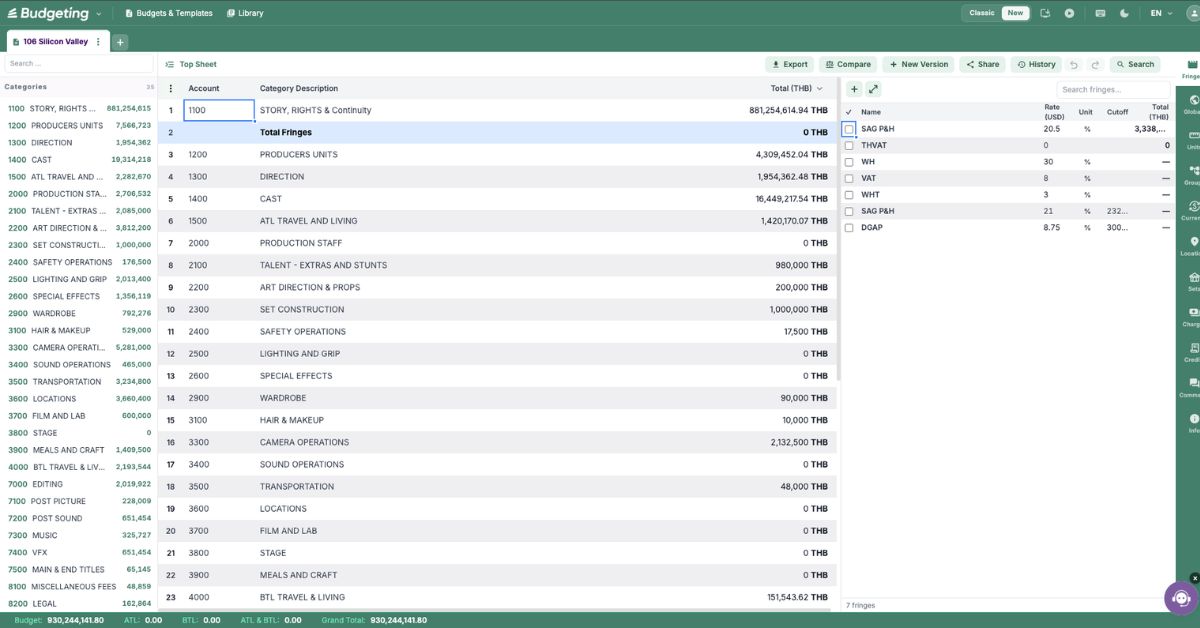
Periscope Budgeting does the things a lot of us producers have been asking for for a very long time, and they actually listened and built them in. It’s cloud-native, made by working producers, and it handles the whole job in a browser — with a dedicated Mac app too if I want it. Full account structure, globals, groups, multi-currency, all of it. I can have my accountant in one city and my line producer in another, both in the same budget at the same time, nobody emailing files around. Every major union fringe is already baked in and applies automatically, no digging up rate tables. It ships with real studio templates — Netflix, Warner, HBO. It lets me split-view two areas of the same budget at once, compare two budgets side by side, and roll back to any earlier version by date. Training comes free with it.
Pricing
$19/month or $149/year. First month free. Annual plan includes a three-book bundle.
Best for
Producers who want a real film budget without being chained to a desktop.
Pros
- Only tool that hit every feature on my list.
- Real-time collaboration in the browser, plus a Mac app.
- Union fringes built in and applied automatically.
- Split compare and side-by-side budget comparison.
- Free training and the annual book bundle.
Cons
- Newer than the legacy tools, so adoption is still growing.
- You may be the one introducing it to an old-school accountant.
2. Movie Magic Budgeting
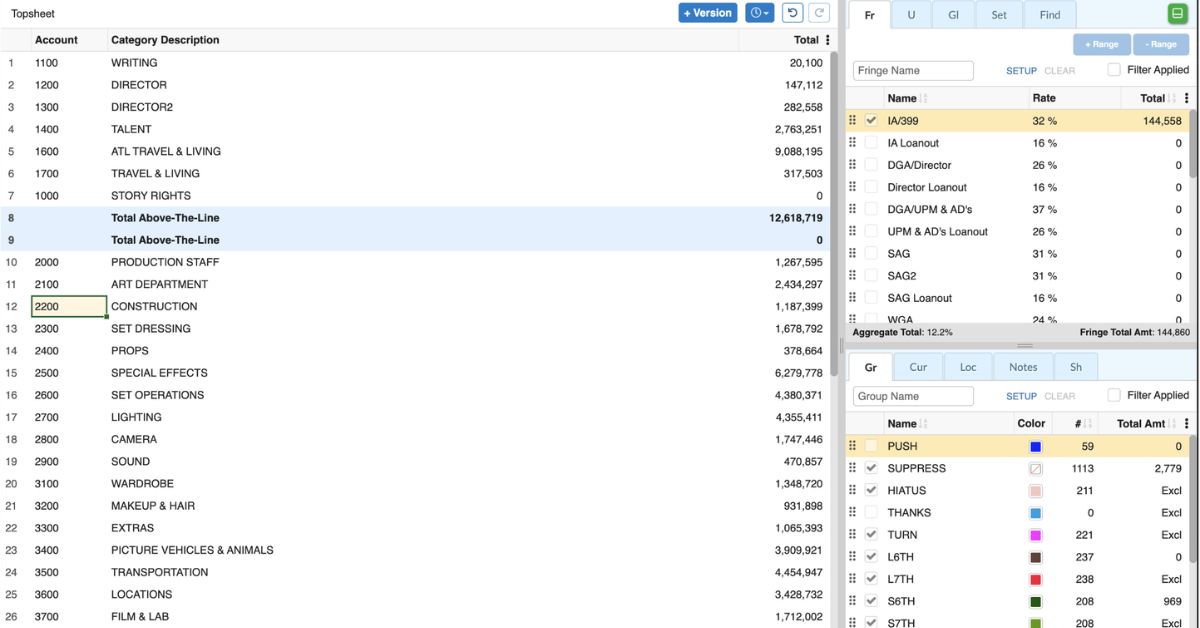
This is the biggest and the oldest one on the list. It’s been the industry standard for scripted film and TV for decades, and its file format is the one everybody else exports to — which is exactly why it’s so slow to add the things users have been after for years. It’s deep — globals, fringes, groups, unit and location splits — it’s got a real budget-comparison tool and split-screen for two budgets, and it hands off straight to SmartAccounting. The fringe engine is built in, but you’re pulling current rates from the separate rate library. My problem with it isn’t what it can do, it’s how it’s built: desktop-locked, expensive, and you can’t even try it before you buy. What it does have is history — more productions have been cut on this than anything else out there.
Pricing
$42.99/month or $299.88/year, per seat.
Best for
Studio and network jobs where the format is dictated to you.
Pros
- The industry-standard format everyone recognises.
- Genuinely deep — units, locations, groups, subgroups.
- Budget comparison and split-screen for two budgets.
- Hands off straight to SmartAccounting.
Cons
- Desktop-locked, no real cloud collaboration.
- Expensive, and priced per seat.
- No free trial — you buy before you try.
- Slow to add modern features.
- Current fringe rates come from a separate rate library.
3. Showbiz Budgeting
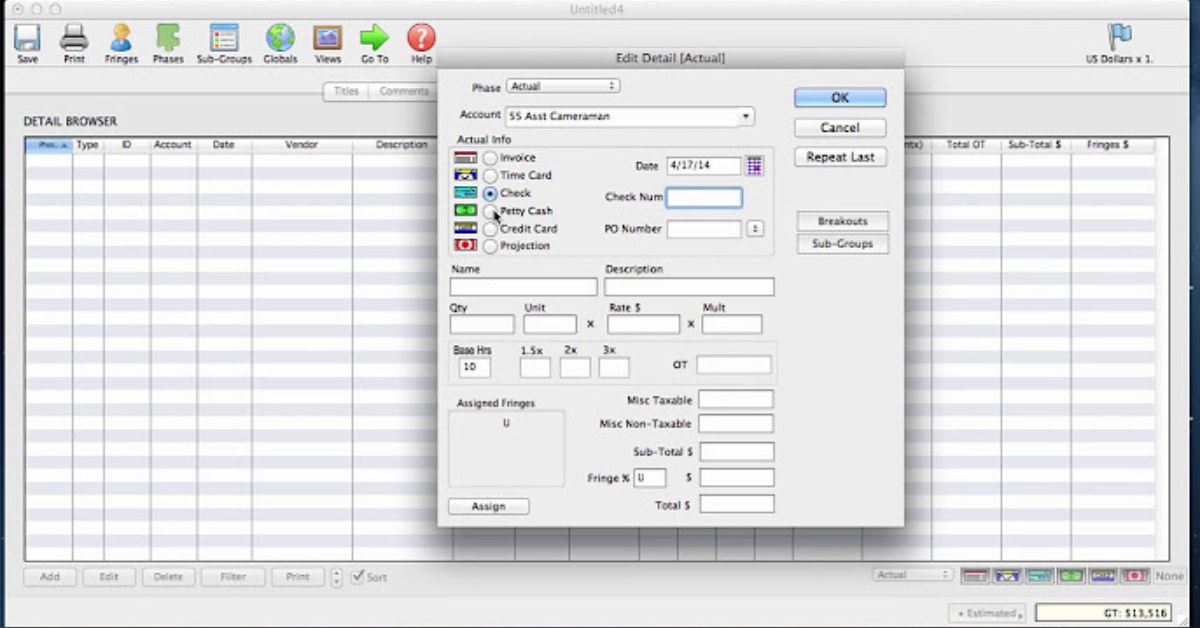
Showbiz is genuinely capable. It’s strong on the producer side — purchase orders and petty cash tie into actualization, and the overtime calculator saves me real time. It ships with major studio and AICP templates, comes with free training, and connects to accounting. I mostly see it on commercials and music videos, but it holds up fine on scripted work too.
Pricing
$399 one-time license (covers two installs).
Best for
Producers bouncing between short-form and long-form who want one desktop tool.
Pros
- Strong producer workflow — POs, petty cash, actualization.
- Ships with major studio and AICP templates.
- Free training included.
- Connects to accounting.
- One-time license, no ongoing subscription.
Cons
- Desktop-bound, no real cloud collaboration.
- Dated interface.
- $399 upfront is a big ask for a single indie.
- Only a 5-day trial to evaluate it.
4. Gorilla
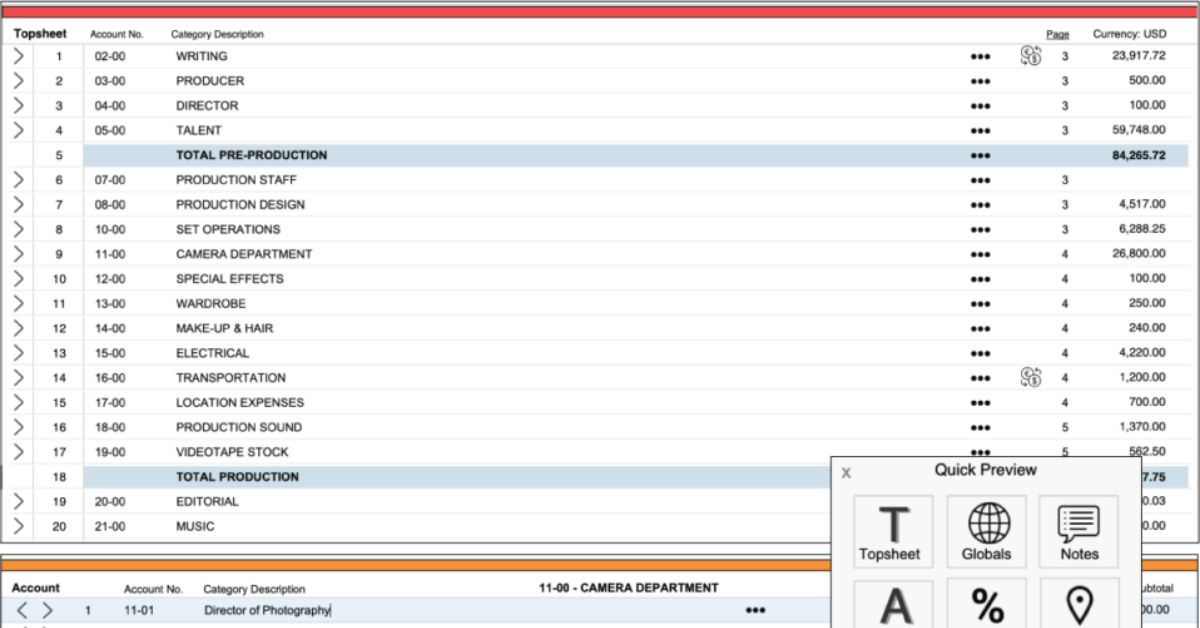
Here’s the indie workhorse. Jungle Software’s been at it for years, and it’s real native budgeting — a four-level hierarchy, studio-style forms, and it’s cheap at around $20 a month. It does fringes, but you’re supplying the rates yourself through the paid Ratebook, and there’s no handoff to accounting. It’s the one I’d point a budget-conscious indie toward if they also want scheduling.
Pricing
~$20/month for budgeting (~$240/year); budgeting-plus-scheduling combo runs higher.
Best for
Indie producers who want budgeting and scheduling without a studio budget.
Pros
- Affordable native budgeting.
- Four-level hierarchy and studio-style forms.
- Budgeting and scheduling in one package.
- 15-day trial to evaluate it.
Cons
- Desktop-only, no cloud collaboration.
- Dated interface.
- Current fringe rates need the paid Ratebook.
- No handoff to accounting.
5. Celtx
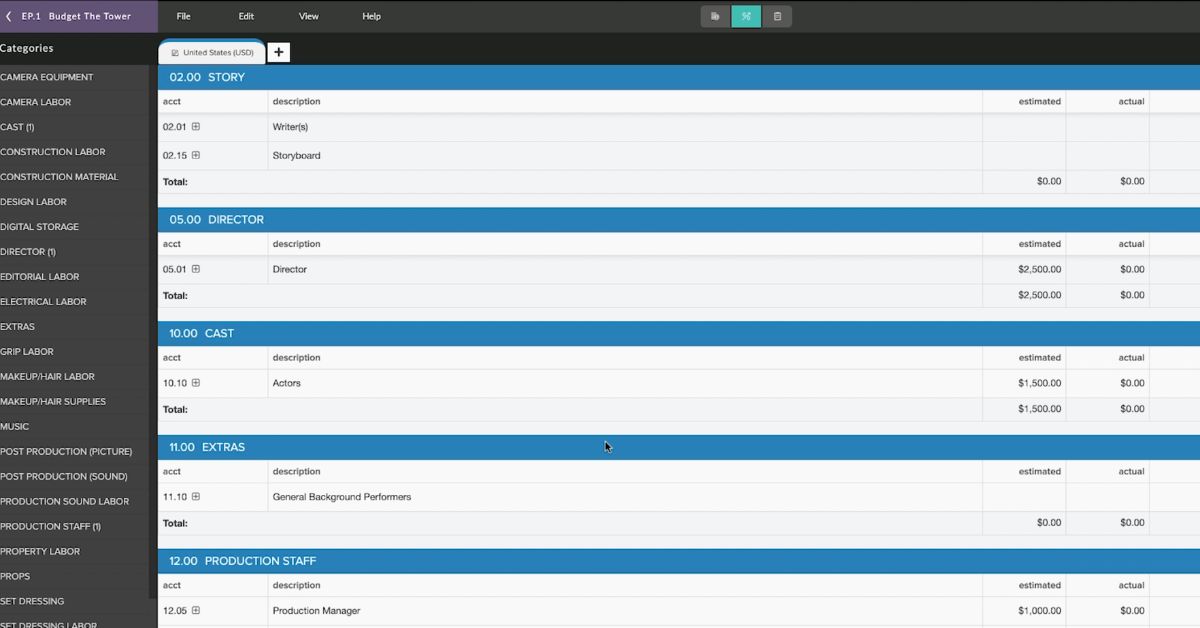
Celtx started life as a screenwriting tool and grew into a whole suite. What I like about it is the pipeline — script to breakdown to schedule to budget without re-typing anything, all in the cloud with real-time collaboration, and it’s affordable. The budgeting itself is solid but not deep, and it doesn’t give me studio templates, a built-in fringe library, or an accounting connection.
Pricing
From ~$15/month (billed yearly); budgeting sits in the Production plans.
Best for
Indie and emerging producers who want one subscription for the whole pre-production chain.
Pros
- Script-to-budget pipeline with no re-typing.
- Cloud-based with real-time collaboration.
- Affordable.
- 7-day trial plus a free tier for scriptwriting.
Cons
- Budgeting isn’t deep next to dedicated tools.
- No major studio templates.
- No built-in fringe library.
- No accounting connection.
- Budgeting isn’t in the free tier.
6. Hot Budget
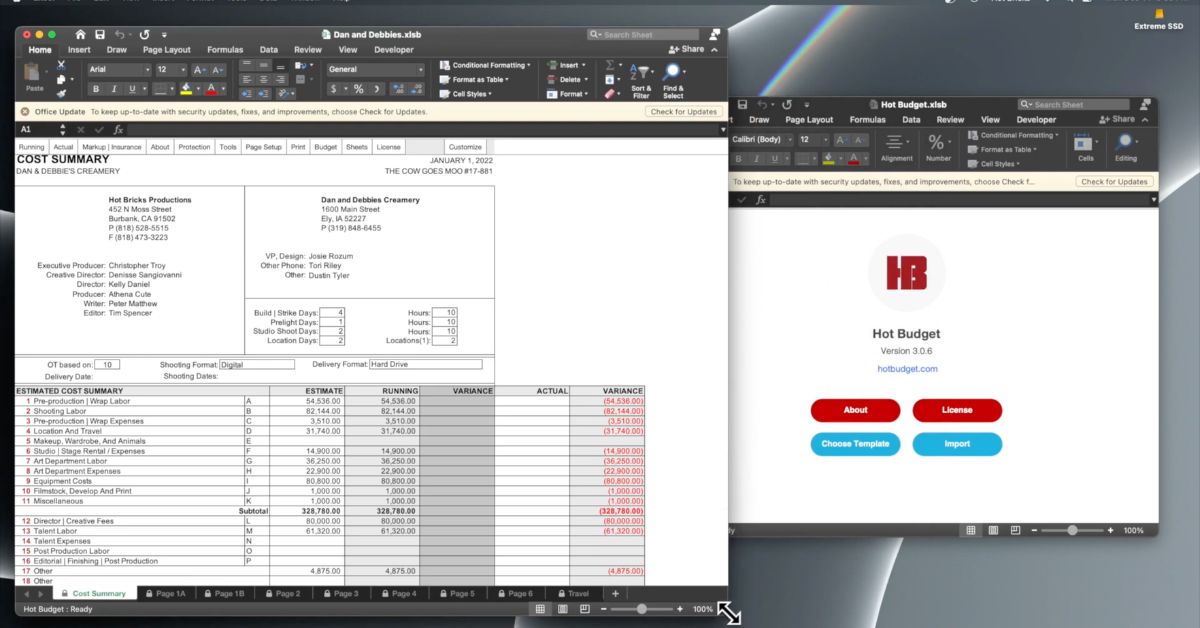
Hot Budget lives in the commercial world. It’s Excel-based, it’s fast, and the guys who bid commercials all day build in it because clients expect its output. It’s cheap at around $100 a year and it imports into Wrapbook for accounting. But it was built for short-form bidding, it’s a spreadsheet underneath, and it doesn’t carry studio templates or auto-supplied fringes.
Pricing
~$100/year (annual calendar-year license).
Best for
Commercial and branded-content producers working to AICP expectations.
Pros
- Cheap.
- Fast for commercial bidding.
- The output clients in the ad world expect.
- Imports into Wrapbook for accounting.
Cons
- It’s a spreadsheet underneath, with the version-control mess that brings.
- Built for short-form, stretches on long-form.
- No studio templates or auto-supplied fringes.
- No free trial.
- No cloud collaboration.
7. Yamdu
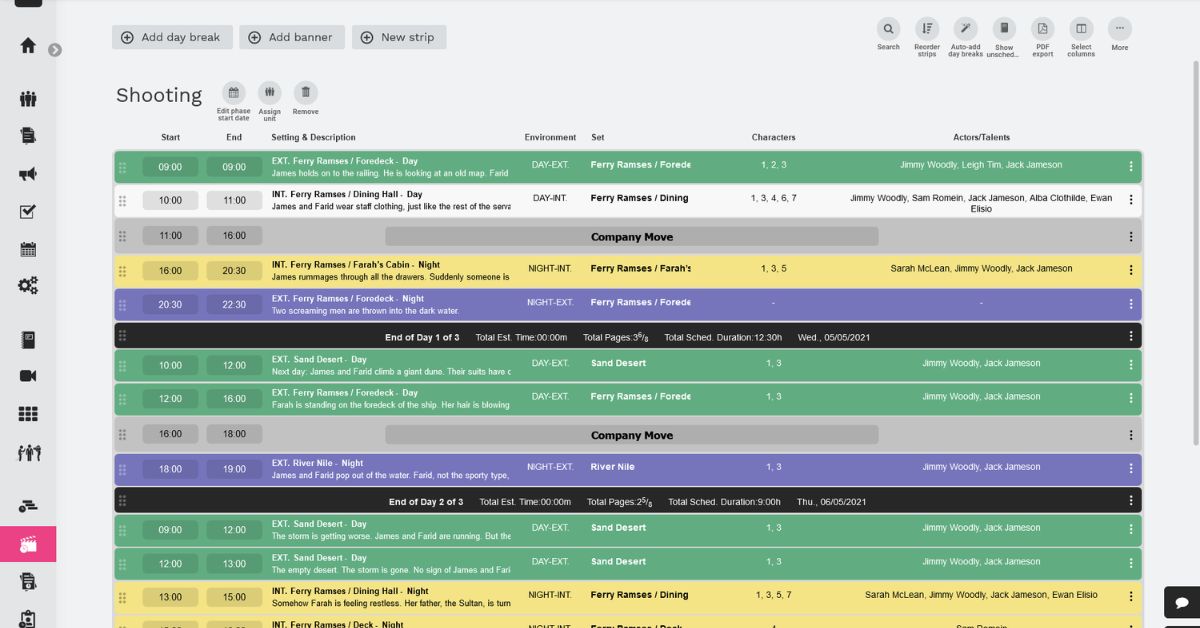
Yamdu is really a full production-management platform — breakdown, scheduling, crew, cast, call sheets — that used to just hand budgeting off to Showbiz. It’s got native budgeting now, with dynamic globals linking the schedule to the budget, and it does real-time collaboration, but the budgeting side is still in beta. I see it a lot in Europe. Worth knowing it locks you into a real minimum-term contract.
Pricing
Flex $45/month (1 project); Core $265/month (20 users, unlimited projects).
Best for
Productions that want everything in one platform and can live with budgeting still maturing.
Pros
- Full production-management platform in one place.
- Dynamic globals link the schedule to the budget.
- Real-time collaboration.
- 14-day free trial, no credit card.
Cons
- Budgeting is still in beta.
- Locks you into a minimum-term contract.
- Per-project pricing gets expensive.
- No studio templates or auto-supplied fringes yet.
8. Excel
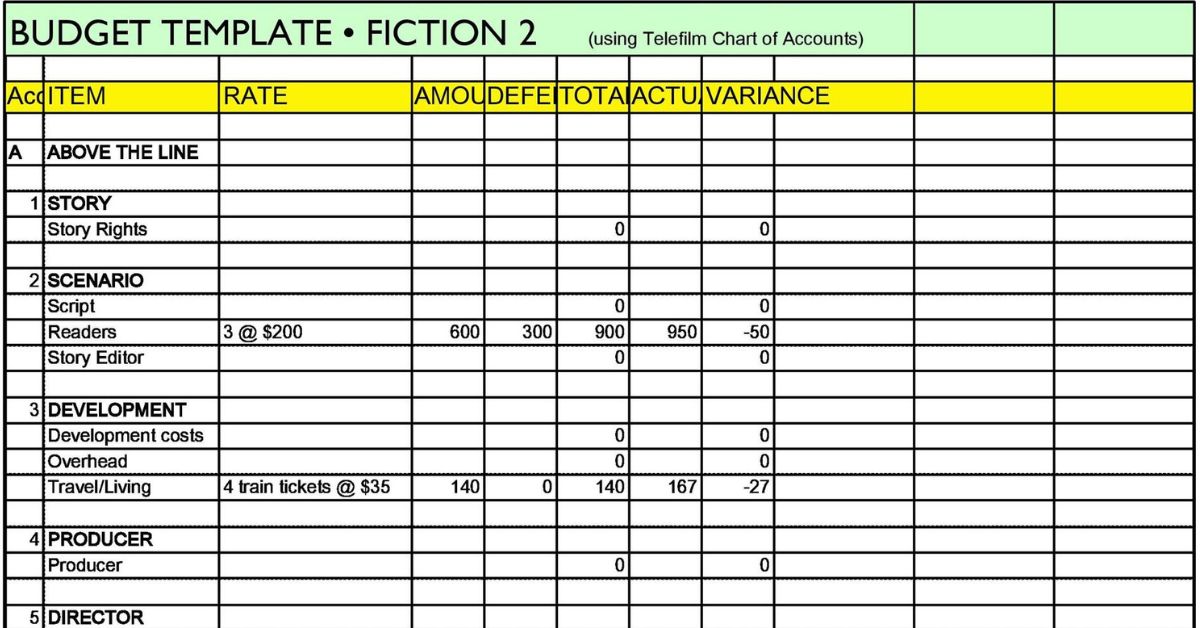
Then there’s Excel, everybody’s fallback, and honestly there’s no shame in it. It’s infinitely flexible, anyone can open it, it’s cheap, and every accountant on earth knows it. Saved to OneDrive it’ll even do live co-authoring and keep a dated version history you can roll back. What it doesn’t give me is any of the structure the job actually needs — no chart of accounts, no globals, no fringe engine, no studio templates, no top sheet unless I build one myself. I end up rebuilding a budgeting app badly, and every formula is one more place for an error to hide.
Pricing
~$10/month (Microsoft 365) or a one-time Office license.
Best for
Short films, quick sanity checks, anything where a real tool is overkill.
Pros
- Infinitely flexible.
- Everyone already has it and can open it.
- Cheap.
- On OneDrive it does live co-authoring and dated version history.
Cons
- No chart of accounts, globals, or fringe engine.
- No studio templates or top sheet unless you build them.
- Every formula is a place for an error to hide.
- No audit trail built for film.
- Not built for film at all.
9. Saturation
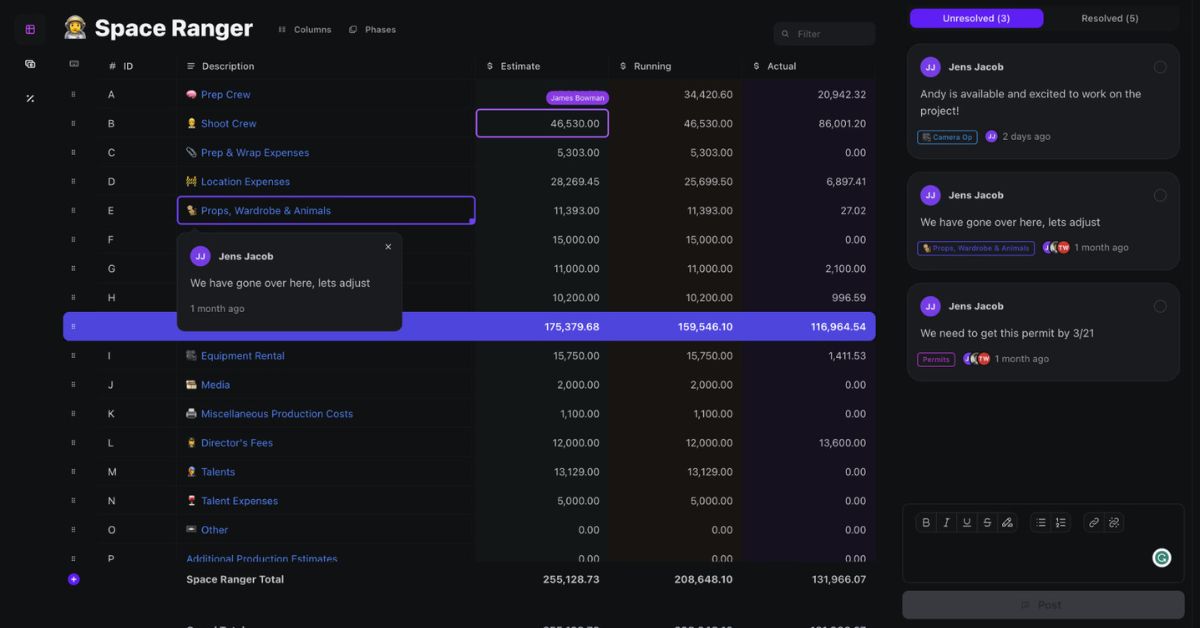
Saturation was built by a working producer who got fed up with the legacy tools, and you can tell — it’s cloud-native, real-time collaborative, fringes calculate automatically, it’s got studio and AICP templates, free training, expense tracking, and a Wrapbook accounting connection. There’s a free tier for a single project. It’s strongest on commercials, music videos, and indie film.
Pricing
Free tier (1 project); Producer $25/month; Production $75/month. 30-day trial on paid plans.
Best for
Producers who want the budget and the cost tracking living in one place.
Pros
- Cloud-native with real-time collaboration.
- Fringes calculate automatically.
- Studio and AICP templates plus free training.
- Expense tracking and a Wrapbook accounting connection.
- Genuine free tier for a single project.
Cons
- Newer than the legacy tools.
- Leans commercial/short-form in spots.
- No unlimited budgets on the free tier.
10. Shamel Studio
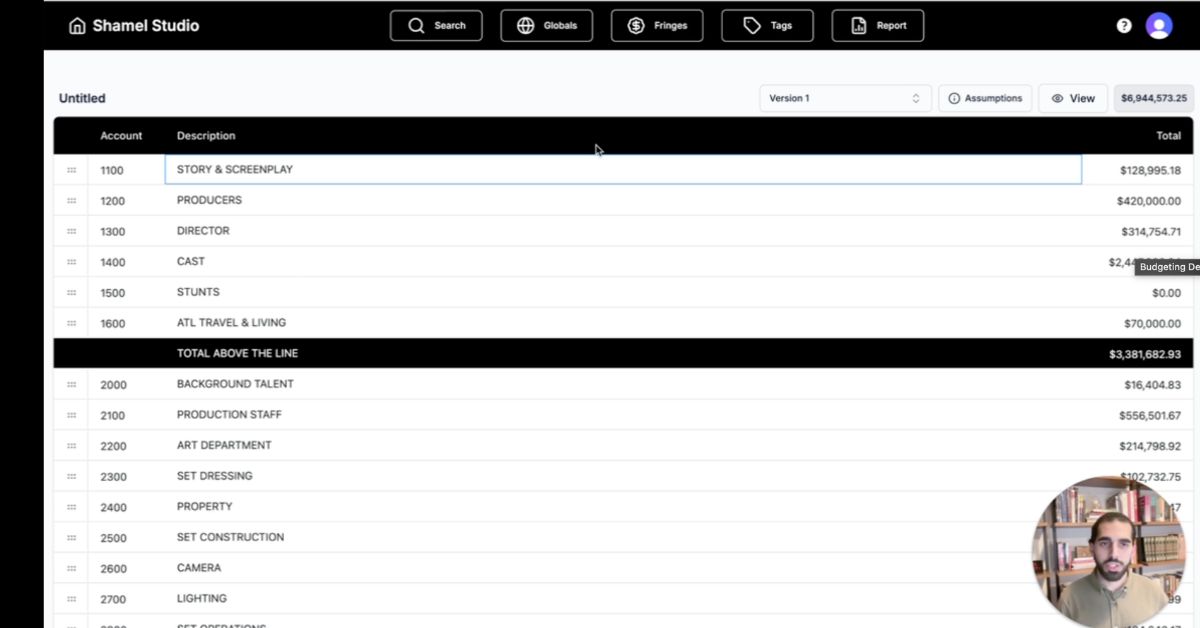
Shamel is a modern cloud entrant with a sharp pitch — script to schedule to budget, with the major union and guild rates auto-filled based on your production type, location, and tier. Fringes calculate on their own and the schedule imports straight into the budget. It’s genuinely fast if its automation lines up with how your production actually works.
Pricing
Free plan; $23/month for budgeting (billed yearly); $45/month for the scheduling-plus-budgeting combo.
Best for
Producers who want automated union rates without building a rate library by hand.
Pros
- Union and guild rates auto-filled by type, location, and tier.
- Fringes calculate automatically.
- Schedule imports straight into the budget.
- Free plan to start, and it’s fast.
Cons
- No true cost report.
- No studio template library.
- No accounting connection.
- New enough that adoption is thin.
11. Studiovity
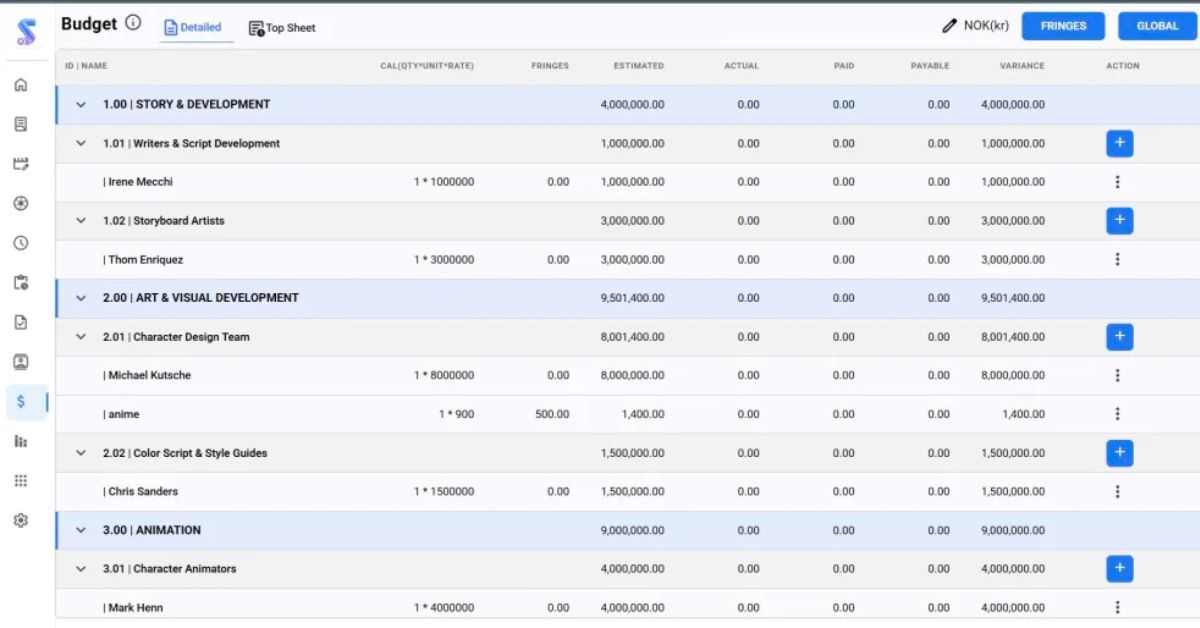
Studiovity gives me the full budget structure — accounts and sub-accounts, ATL/BTL/post splits, a top-sheet rollup — with built-in IATSE and SAG-AFTRA rates that auto-apply fringes. It adds estimated-versus-actual tracking, free education resources, and it’s affordable. It stops short of a proper cost report, it’s mobile-first, and there’s no accounting handoff.
Pricing
~$18/month.
Best for
Indie producers who want budgeting plus basic actuals at a low price.
Pros
- Full budget structure with a top-sheet rollup.
- Built-in IATSE/SAG-AFTRA rates that auto-apply fringes.
- Estimated-versus-actual tracking.
- Affordable, with free education resources.
- 7-day trial.
Cons
- Mobile-first design won’t suit everyone.
- No major studio templates.
- No true cost report.
- No accounting handoff.
12. Filmustage
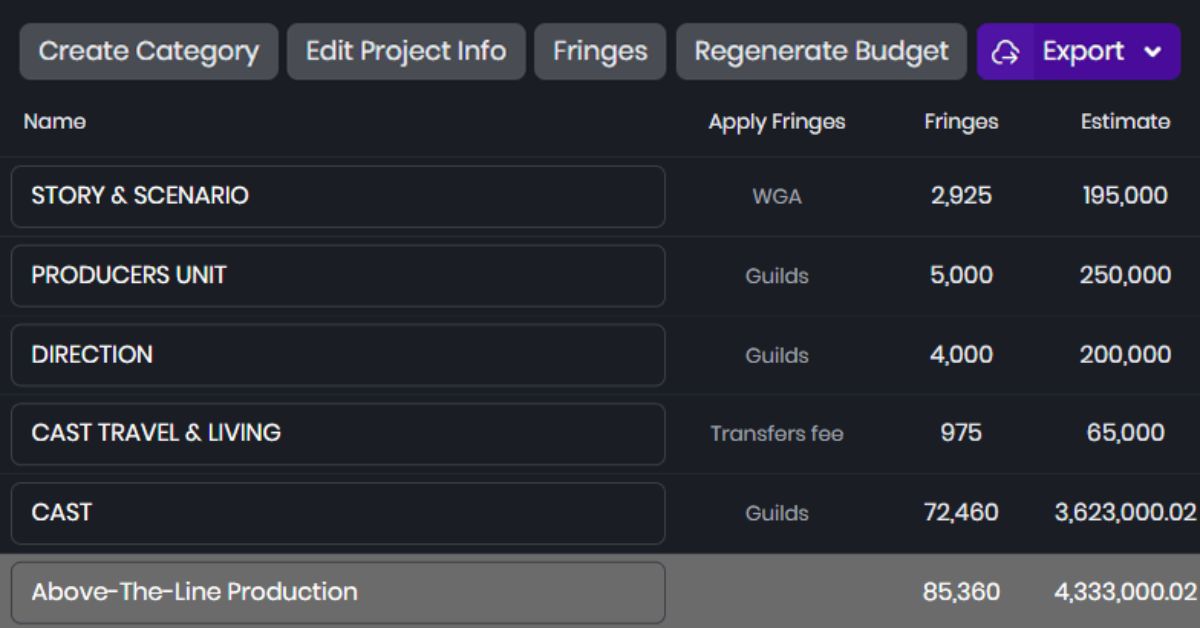
Filmustage is best known for AI script breakdown, and now it’s got a native budgeting module with globals, fringes, groups, and deductions. What makes it different is where it starts you — it drafts a budget straight off the breakdown, so I’m editing a first pass instead of staring at a blank template. It’ll even export a real Movie Magic .mmbx file. The catch is the price — $99 a month at the low end, the most expensive one here.
Pricing
$99–$199/month.
Best for
Producers who want to close the gap between a locked script and a first-draft budget.
Pros
- AI drafts a budget straight off the breakdown.
- Globals, fringes, groups, and deductions built in.
- Exports a real Movie Magic .mmbx file.
- Free tier for the non-AI tools.
Cons
- Most expensive tool on the list.
- Really a breakdown tool with budgeting attached.
- AI drafts still need a professional’s eyes on every line.
- No studio templates or auto-supplied fringe rates.
The bottom line
Let me run back through all of them. Periscope has all the features on this list, and that’s because the producers who made it built it that way — they gave everyone the features people have been missing for years. On top of that, if you go with the annual plan they throw in a three-book bundle written by working film producers that runs from the basics all the way up to the advanced stuff:
Film Budgeting 101 — your starting point, it walks you through all the pieces of a budget and what they actually do: the globals, the fringes, the groups, how it all works together and condenses down into the top sheet, walking you through the accounts and everything from end to end so you understand the basics and the whole movement of how a budget gets made with budgeting software.
Running the Show — the step up, this is how you approach the actual line producing of a project. It gives you a very formulated way to do everything from scheduling to meetings to producing, understanding how long things actually take, working with your crew, and it’s full of pro tips and stuff that genuinely comes in handy once running the show is actually happening.
How to Speak Film Set Fluently — this one’s more of a glossary, the terms, definitions, and lingo you probably don’t know, and even for seasoned professionals there’s going to be stuff in here they didn’t know either.
So you’re not just buying software, you’re getting the education that goes with it. Movie Magic is the biggest and the oldest and it’s what the studios want, but it’s expensive, it’s desktop-locked, and it’s slow to change. Showbiz is solid and it does the producer workflow stuff well, but it’s dated and it’s a desktop license. Gorilla is cheap and it’s a real budgeting tool for indies, but it’s desktop-only and you’re buying the rate book separately. Celtx is nice if you want script to budget in one place, but the budgeting isn’t deep and it’s not in the free tier. Hot Budget is fast and cheap and the commercial guys live in it, but it’s a spreadsheet underneath. Yamdu does everything as a platform but the budgeting is still in beta and it locks you into a contract. Excel is free and everyone has it, but you’re building the whole thing yourself. Saturation is the strongest of the modern cloud tools after Periscope and it does budget plus cost tracking in one place. Shamel and Studiovity are newer and they automate the union rates well, but they’re thin on the rest. And Filmustage is really an AI breakdown tool with budgeting bolted on, and it’s the most expensive one here.
So here’s where I land: if a studio or a bond company tells you what format to use then you already know you’re on Movie Magic and that decision is made for you, but if you’re an indie producer or you’re running your own shows and nobody’s dictating your pipeline, then there’s no reason to keep paying for the old slow desktop stuff when the modern tools do more for less, and out of everything I looked at Periscope is the one I’d put my own budgets in because it’s the only one that does all of it, it comes with the training and the books to actually get you good at this, and it’s built by people who actually do this work.